
Skip to content

Changelog

New features, improvements, and fixes.

Broadcast Retargeting

announcementbroadcasts
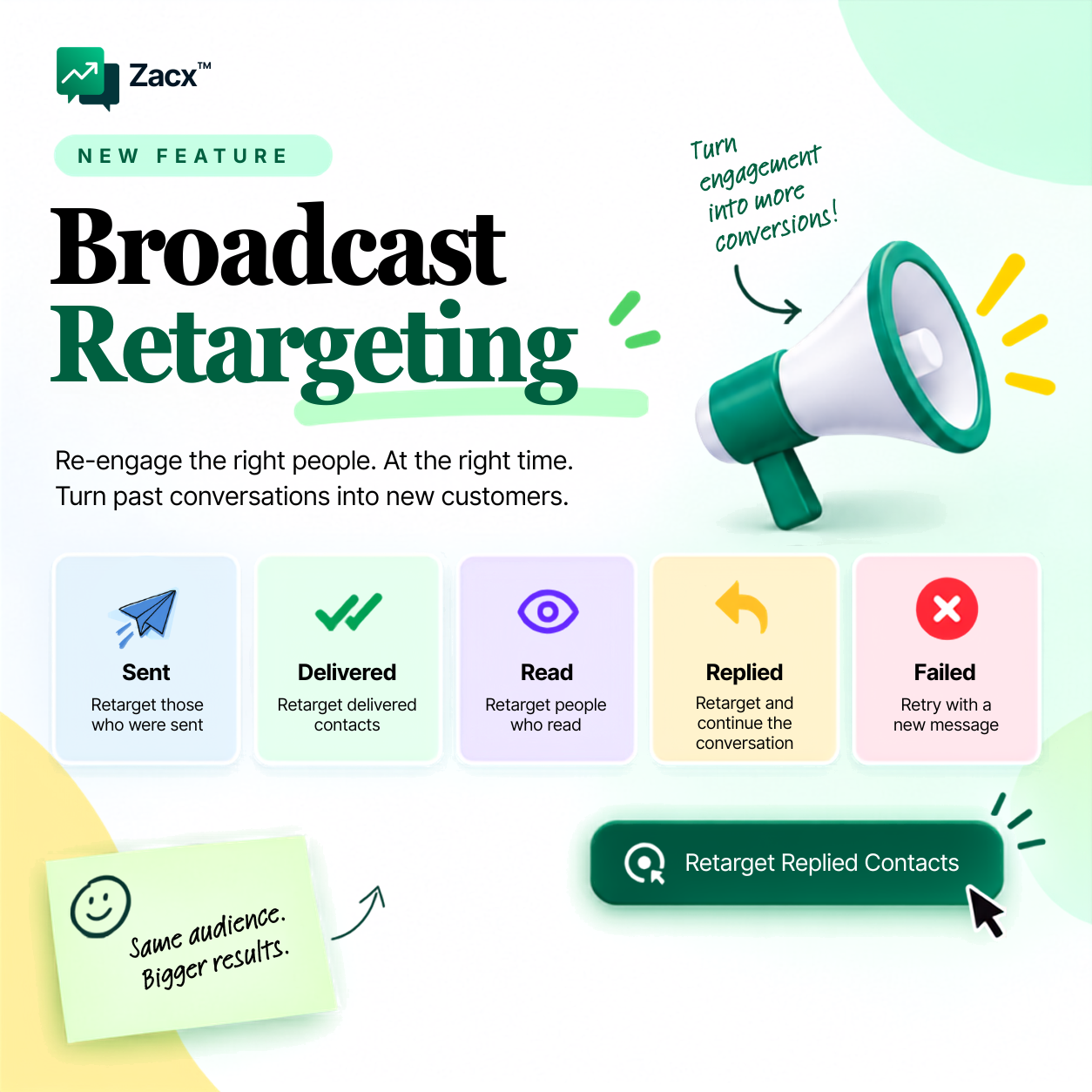
Introducing Broadcast Retargeting in Zacx

Target the right contacts based on how they engaged with your broadcast. Broadcast Retargeting is live on every Zacx account today.

  • Retarget by status. Reach the contacts who were sent, delivered, read, replied or failed, each as their own audience.
  • Follow up with high-intent leads. People who read or replied are already interested. Continue the conversation with a message that fits where they are.
  • Recover missed opportunities. Retry failed contacts with a new message and bring them back into your campaign.

One broadcast. Different audiences. Smarter follow-ups.

How to use it
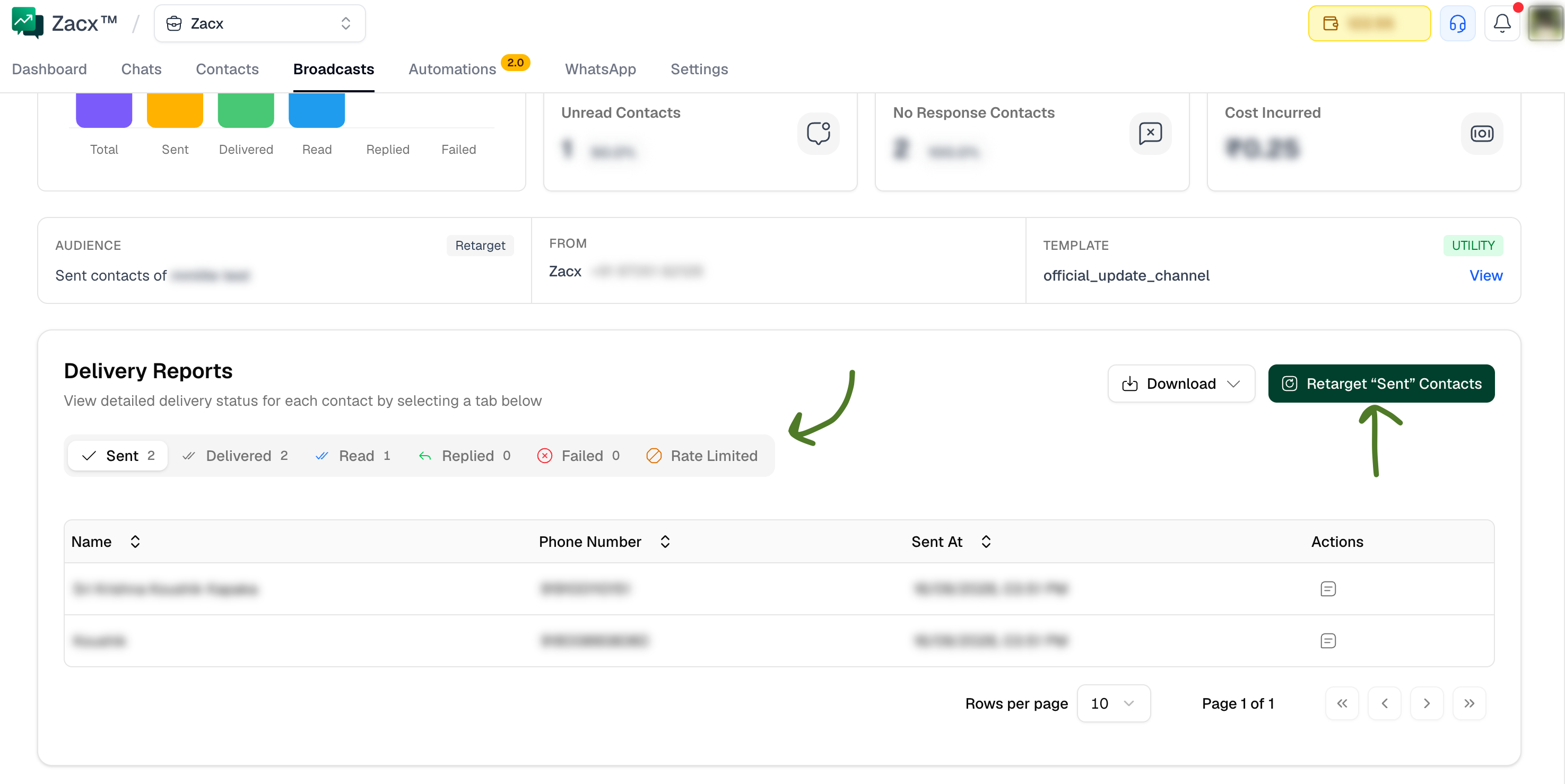
Retargeting contacts from the delivery reports of a broadcast

  1. Go to Broadcasts and open a previous broadcast.
  2. Scroll down to the Delivery Reports section.
  3. Select a message status, for example Sent, Read or Replied.
  4. Click Retarget “Sent” Contacts (the button matches the status you picked). A new broadcast opens on the template selection page with that audience already set, and you launch it as usual.

New to broadcasts? Start with the broadcasts guide.
Automations 2.0

announcementautomations

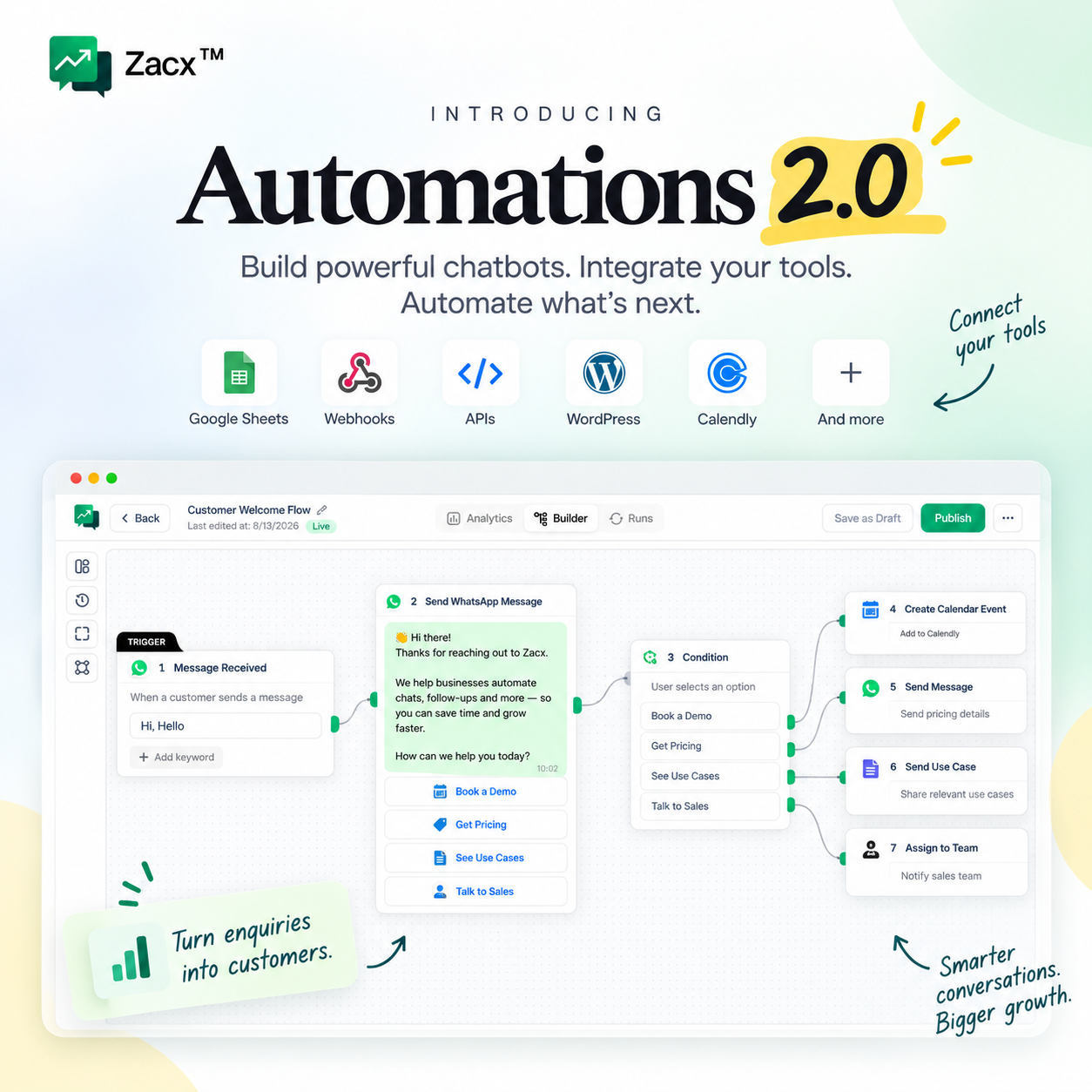
Introducing Automations 2.0 in Zacx

Build powerful chatbots. Integrate your tools. Automate what’s next. Automations 2.0 is live on every Zacx account today.

  • A builder you can think in. Start from a trigger, then chain messages, waits, conditions and actions on one canvas. Save as draft while you work, publish when it’s ready.
  • Chatbots that do the talking. Greet every enquiry with an interactive menu, branch on what the customer taps, loop them back for more, and hand the chat to a team member the moment they ask for a human.
  • Your tools, connected. Google Sheets, webhooks, WordPress, Calendly and your own APIs, called straight from a step. Book the meeting, update the sheet, ping your backend, all without leaving the flow.
  • Conditions and branching. Send different journeys to different people based on their answers, tags or custom fields.
  • Analytics and runs. See how each automation is performing, and open any single run to follow the exact path a contact took.
  • Forms in the conversation. Collect clean, structured answers with WhatsApp Forms, then branch on what you captured to qualify or disqualify a lead.

New videos walk you through three complete builds, from a multi-day follow-up sequence to an event reminder flow to a full DM bot. Start with the automations guide.

More to explore: WhatsApp Forms, message templates, contacts and tags, team roles and the chat inbox.

New website, documentation, API reference, changelog and blog

announcement

Everything public about Zacx now lives in one place, rebuilt from the ground up.

  • Website. New features, pricing and about pages, with every rate published in full.
  • Documentation. Clear, searchable guides for every part of the product at /docs.
  • API reference. Every endpoint documented at /api, always in step with the product.
  • Changelog. This page. Every update, improvement and fix, newest first.
  • Blog. Product news, pricing updates as they happen, and practical guides at /blog. The first post is up.

The whole site is also built to be read by AI assistants, not just browsers. Ask ChatGPT or Claude about Zacx and it can read the same pages you do.

Type to search…

↑↓ navigate↵ selectEsc close